
3 Rumus Lightroom Selfie Glowing ala Selebgram Kece

Penulis kumparan
·waktu baca 3 menit


Tulisan dari Berita Terkini tidak mewakili pandangan dari redaksi kumparan
 Perbesar
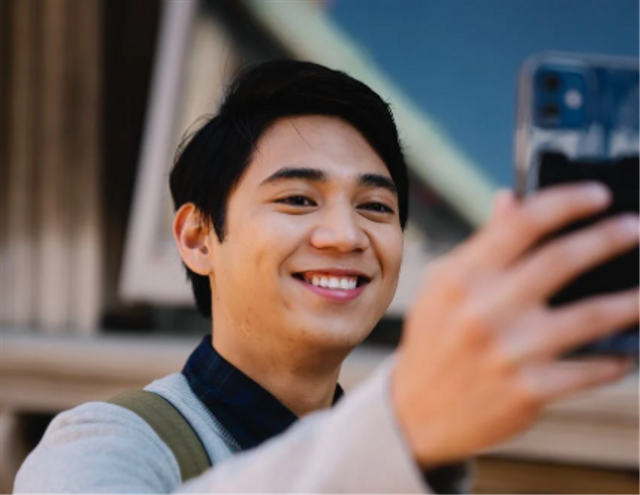
Instagram adalah salah satu media sosial yang digemari banyak netizen masa kini untuk berbagai foto estetik. Untuk mendapatkan foto estetik ala selebgram, kamu bisa menggunakan rumus Lightroom selfie glowing.
Bagi yang belum tahu, berdasarkan buku Adobe Photoshop Lightroom Classic For Dummies, Rob Sylvan, (2019:17), Lightroom adalah perangkat lunak (software alias aplikasi) produksi Adobe yang bisa digunakan untuk memanipulasi foto di desktop maupun smartphone.
3 Rumus Lightroom Selfie Glowing
Nah, ini dia 3 rumus Lightroom yang bisa dipakai untuk mendapatkan hasil foto selfie glowing untuk diunggah ke Instagram:
Rumus IR Selfie
Light:
Exposure : 0.00EV
Contrast : -10
Highlights : 30
Shadows : 40
Whites: -100
Blacks : 45
Color:
Temp : 4
Tint : 0
Vibrance : 20
Saturation : -5
Mix:
Red: Hue 0 / Saturation 5 / Luminance 15
Orange: Hue -5 / Saturation 14 / Luminance 14
Yellow: Hue -55 / Saturation -100/ Luminance 20
Green: Hue 0 / Saturation 25 / Luminance 0
Aqua: Hue 0 / Saturation -35 / Luminance 0
Blue: Hue 0 / Saturation -55 / Luminance 0
Purple: Hue 0 / Saturation 0 / Luminance 0
Magenta: Hue 0 / Saturation 0 / Luminance 0
Effects:
Texture : 10
Clarity : -15
Dehaze : 30
Vignette : -25
Midpoint : 7
Feather : 97
Roundness : -67
Highlights : 8
Split Tone:
Highlights: H 259 / S 8
Shadows: H 265 / S 7
Rumus Lightroom Selebgram
Light:
Exposure : 0.00EV
Contrast : -10
Highlights : -45
Shadows : 10
Whites: -60
Blacks : 70
Color:
Temp : 10
Tint : 5
Vibrance : 15
Saturation : 4
Mix:
Red: Hue 20 / Saturation 35 / Luminance 10
Orange: Hue 7 / Saturation 4 / Luminance 35
Yellow: Hue -35 / Saturation 80 / Luminance 30
Green: Hue 5 / Saturation -10 / Luminance 30
Aqua: Hue 0 / Saturation -100 / Luminance 0
Blue: Hue 0 / Saturation -15 / Luminance 15
Purple: Hue 0 / Saturation 0 / Luminance 0
Magenta: Hue 0 / Saturation 0 / Luminance 0
Effects:
Texture : 45
Clarity : 20
Dehaze : -4
Vignette : -15
Midpoint : 1
Feather : 87
Roundness : -23
Highlights : 25
Split Tone:
Highlights: H 38 / S 3
Shadows: H 39 / S 5
Rumus Lightroom Keren
Light:
Exposure : -0.20EV
Contrast : 40
Highlights : -100
Shadows : -50
Whites: -100
Blacks : 100
Color:
Temp : -4
Tint : 10
Vibrance : 10
Saturation : 0
Mix:
Red: Hue 0 / Saturation 5 / Luminance 10
Orange: Hue 0 / Saturation 5 / Luminance 45
Yellow: Hue 0 / Saturation 40 / Luminance 0
Green: Hue 0 / Saturation -100 / Luminance 0
Aqua: Hue 0 / Saturation -98 / Luminance 0
Blue: Hue 0 / Saturation -75 / Luminance 0
Purple: Hue 0 / Saturation 20 / Luminance 0
Magenta: Hue 0 / Saturation 10 / Luminance 0
Effects:
Texture : -30
Clarity : 10
Dehaze : 20
Vignette : -9
Split Tone:
Highlights: H 297 / S 12
Shadows: H 169 / S 9
Silakan coba ketiga rumus Lightroom di atas untuk mendapatkan selfie glowing yang terbaik.(BRP)