
Setting Logitech G29 Forza Horizon 6, Cek di Sini!

How to tekno
·waktu baca 3 menit


Tulisan dari How To Tekno tidak mewakili pandangan dari redaksi kumparan
 Perbesar
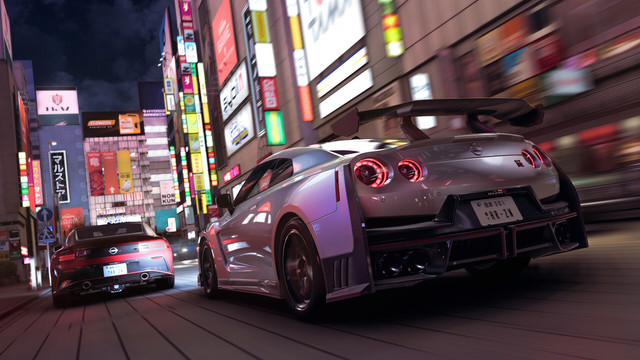
Logitech G29 Driving Force adalah perangkat steering wheel gaming yang dirancang untuk menghadirkan sensasi balapan lebih realistis saat bermain game racing. Penggunaan Logitech G29 membuat pengalaman bermain terasa lebih imersif dibandingkan menggunakan keyboard biasa.
Namun, sebelum digunakan, pemain perlu mengubah pengaturannya. Setting yang sesuai membuat kontrol mobil terasa lebih presisi, kemudi tidak terlalu dan , serta handling kendaraan lebih stabil saat digunakan balapan di Forza Horizon 6.
Simak artikel ini untuk setting Logitech G29 Forza Horizon 6 yang bisa Anda gunakan!
Setting Logitech G29 Forza Horizon 6
Dihimpun dari YouTube Geek Street, berikut referensi setting Logitech G29 Forza Horizon 6:
Setting untuk Balap di Jalan Raya
1. Steering Wheel
Sensitivity: 50
Operating Range (Angle): 720
Centering Spring Strength: 20
2. In-game Setting
Drivatar Difficulty: Above Average
Driving Assists Preset: Custom
Braking: Anti-Lock On
Steering: Simulation
Traction Control: On
Stability Control: On
Shifting: Manual with Clutch
Driving Line: Full
Damage and Tyre Wear: None
Rewind: On
Launch Control: On
Vibration: On
Invert Vertical Look: Off
Mouse Free Look: On
Invert Force Feedback: Off
Steering Axis Deadzone Inside: 0
Steering Axis Deadzone Outside: 100
Steering Linearity: 50
Acceleration Axis Deadzone Inside: 0
Acceleration Axis Deadzone Outside: 100
Decelaration Axis Deadzone Inside: 0
Decelaration Axis Deadzone Outside; 100
Clutch Axis Deadzone Inside: 15
Clutch Axis Deadzone Outside: 90
E-Brake Axis Deadzone Inside: 10
E-Brake Axis Deadzone Outside: 100
Vibration Scale: 0.5
Force Feedback Scale: 1.0
Centre Spring Scale: 1.5
Wheel Damper Scale: 1.1
Mechanical Trail Scale: 1.3
Forcce Feedback Minimum Force: 1.0
Force Feedback Load Sensitivity: 1.3
Road Feel Scale: 1.0
Off-Road Feel Scale: 0.5
Steering Sensitivity: 0.5
Setting untuk Drifting
In-game Setting
Drivatar Difficulty: Above Average
Driving Assists Preset: Custom
Braking: Anti-Lock On
Steering: Simulation
Traction Control: Off
Stability Control: Off
Shifting: Automatic
Driving Line: Full
Damage and Tyre Wear: None
Rewind: On
Launch Control: On
Vibration: On
Invert Vertical Look: Off
Mouse Free Look: On
Invert Force Feedback: Off
Steering Axis Deadzone Inside: 0
Steering Axis Deadzone Outside: 100
Steering Linearity: 50
Acceleration Axis Deadzone Inside: 0
Acceleration Axis Deadzone Outside: 100
Decelaration Axis Deadzone Inside: 0
Decelaration Axis Deadzone Outside; 100
Clutch Axis Deadzone Inside: 15
Clutch Axis Deadzone Outside: 90
E-Brake Axis Deadzone Inside: 10
E-Brake Axis Deadzone Outside: 100
Vibration Scale: 0.5
Force Feedback Scale: 0.5
Centre Spring Scale: 0.4
Wheel Damper Scale: 0.2
Mechanical Trail Scale: 0.9
Forcce Feedback Minimum Force: 0.8
Force Feedback Load Sensitivity: 1.0
Road Feel Scale: 0.3
Off-Road Feel Scale: 0.2
Steering Sensitivity: 0.5
Baca Juga: Cara Setting Waktu FC Mobile agar Lebih Lama, Apakah Bisa?
(NSF)